Archives

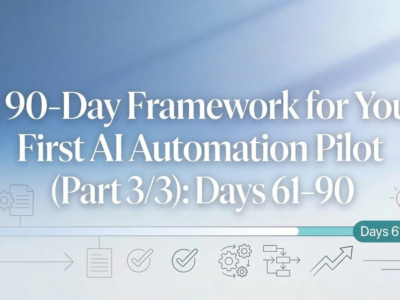
90-day AI automation pilot framework timeline highlighting days 61 to 90 with launch and growth icons

A 90‑Day Framework for Your First AI Automation Pilot (Part 3/3): Days 61–90

The last 30 days of your AI automation pilot are about turning an interesting experiment into a real, reliable workflow. In this final part of the 90-day framework, you’ll selectively turn on limited automation, watch it closely with clear guardrails, and compare new performance data against your original baselines. By Day 90, you’ll know whether to scale the pilot, refine it, or redirect your efforts—and you’ll have a repeatable playbook for future AI automation projects.
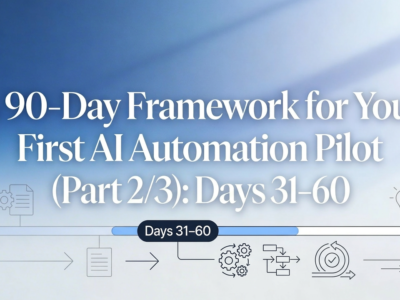
90-day AI automation pilot framework timeline highlighting days 31 to 60 with AI workflow icons

A 90‑Day Framework for Your First AI Automation Pilot (Part 2/3): Days 31–60

With your pilot scoped and designed, the next 30 days are about connecting real systems and learning from real work. In this second part of the 90-day framework, you’ll ship a read-only version of your AI automation, put it in front of a small group of users, and layer on suggested actions with human-in-the-loop oversight. The goal is a working pilot that behaves predictably, delivers visible value, and gives you the data you need to decide what to automate in the final 30 days.

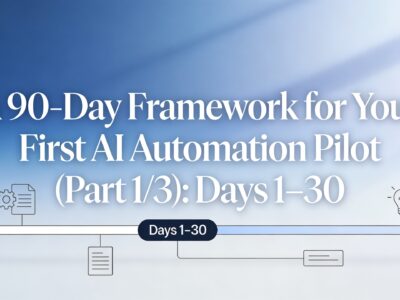
90-day AI automation pilot framework timeline highlighting days 1 to 30 for business leaders

A 90‑Day Framework for Your First AI Automation Pilot (Part 1/3): Days 1–30

Overwhelmed by “AI strategy” talk but unsure where to start? This post breaks the first 30 days of your AI automation pilot into three practical moves—confirm the outcome and scope, map the real process your team uses today, and design a minimum viable workflow you can safely test. It is a simple, execution-focused framework you can use to turn a promising pilot idea into a clear, testable plan with baselines, guardrails, and buy-in from your team.

Banner image depicting AI-powered automation for SMBs: diverse professionals in a modern office with flowing data lines linking CRM dashboards, chat support interfaces, and financial charts in blue-teal tones (see the generated image above).

Areas for AI Automation That SMBs Can’t Ignore in 2026

In 2026, small and medium businesses must embrace AI automation to stay competitive amid lean teams and tight budgets. Focus on three critical areas: revenue operations for seamless CRM workflows that prevent lead leaks; customer success with intelligent agents handling inquiries and proactive outreach; and back-office finance for automated invoicing and compliance. These connected systems cut costs by 30-50%, boost efficiency, and enable scalable growth—transforming manual chaos into intelligent flows. Start mapping your gaps today.

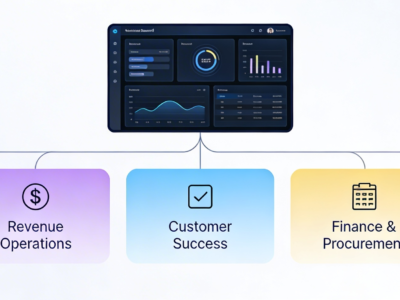
Illustration of a central AI automation platform with five labeled accelerator tiles—Meeting Transcript Aggregator, Revenue Operations, Customer Success, Finance & Procurement, and IT & Security Operations—connected in a clean, modern dashboard layout.

Automation Accelerators: The Safest Way to Try AI in Your Business

AI automation accelerators are pre-built, extensible solutions that let you pilot AI in high‑impact workflows—like meetings, revenue operations, customer success, finance, and IT—without committing to a risky, time‑consuming “big bang” project. They run on a common automation platform, so once your first accelerator is live, you can keep adding new ones or even build custom accelerators on the same foundation, turning early wins into a scalable automation ecosystem across your business.

Business leader reviewing a simple AI and automation roadmap with a small team in a conference room.

A Practical Roadmap for Your First AI and Automation Pilot

Many small and mid-sized business leaders feel pressure to “do something with AI” but lack a clear path forward. This post offers a plain-language roadmap for launching a focused AI and automation pilot, from clarifying business outcomes to choosing a few high-impact workflows, preparing your data and systems, rolling out in phases, and deciding what to scale. Along the way, we share simple examples like meeting intelligence, client health monitoring, finance automation, and IT digests—plus how we package patterns like these as AI powered automation accelerators you can browse online.

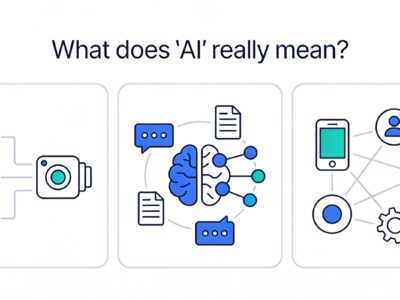
Illustration showing three simple panels that explain different aspects of AI: data flowing into a model, language and documents around a brain, and connected apps with gears for automation.

What does “AI” Really Mean (Without the Jargon)

AI is everywhere in the headlines, but most small and mid sized businesses are still struggling to turn the buzz into real results. This post unpacks what “AI” actually means without the jargon, separating models, machine learning, large language models, and automation into plain language. It also explores the hidden challenges that slow adoption down, from messy data and unclear ownership to vendor hype and employee fears, and gives leaders a simple framework to cut through the fog and focus on concrete outcomes instead of vague AI promises.